Apple's reported home hub is a buttonless 6-inch screen built to stay plugged in on a counter or wall
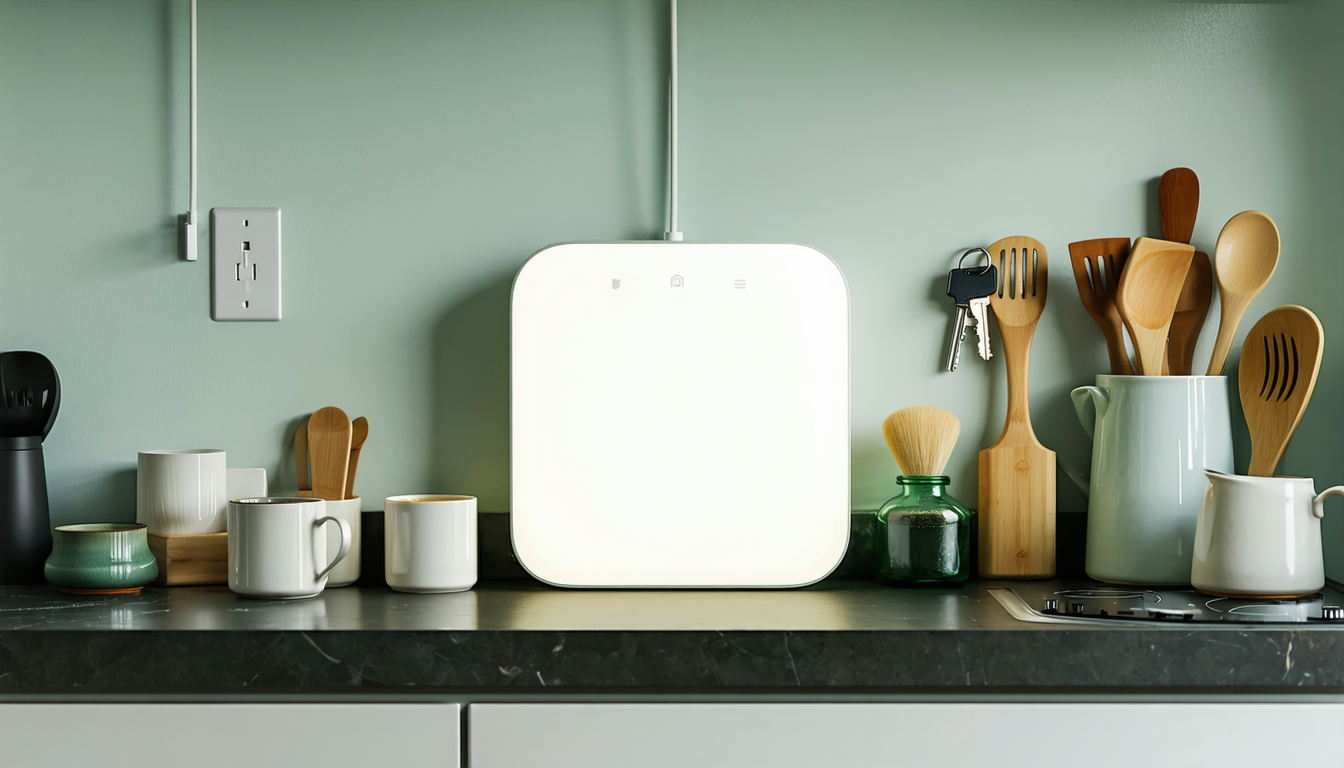
Bloomberg's Mark Gurman reports Apple's smart home hub has a square 6-inch display, no battery and no buttons, in countertop and wall-mounted versions. HomeKit teams should plan for a shared screen that stays at its outlet and serves whoever walks up.
The Product Desk
What happened
- Apple envisions customers placing several of the hubs throughout their homes, according to Gurman's Bloomberg report.
- The hub is designed to recognize whoever is speaking to it or approaching it, switch its interface to that person, and offer a visitor mode that hides personal information.
- Its interface is built mostly around photo slideshows and clock screens, similar to StandBy Mode on the iPhone Duo, with a swipe up opening the app launcher.
- Apple is less than two weeks from launching the device, 9to5Mac reported, citing Bloomberg.
Why it matters
- What it limits constraint Each hub needs a USB-C power source within cable reach, so accessory makers should expect the screen to sit where outlets already are and design room controls for those spots.
- Who's exposed exposure Controls shown on the hub can be triggered by someone it has not confidently identified, so accessories whose actions depend on who is asking need the iPhone check built in.
- Who has to decide decision With only Apple's own apps described, HomeKit teams have to choose now between waiting for developer terms and shipping features that work through Apple's built-in smart home controls alone.
Next story · Product · 21h ago
Apple's A3632 Smart Folio listing hints that the next iPad mini needs a new caseConfirmed3 publishers
The person in Gurman's report is standing at a kitchen counter, looking up a recipe by voice [11]. In a dark room, a Mac-style Edge Light brightens the area around the screen so the camera can see who is there [14]. The hub matches a voice or a face, and the face system is said to be less reliable than Face ID [13]. When it cannot tell who is asking, an iPhone is the fallback. Users can also turn on an iPhone check as a second step [13].
The pitch is a screen that knows each member of the household. The hardware is a shared appliance on a cable. The countertop model takes power through a USB-C port [3]. The wall model, code-named J491, sits on a thin base flat against the wall and also has to stay connected through USB-C [4]. Neither version runs unplugged, so every hub in a house needs a power source within cable reach [17]. Gurman wrote that the device is "about as thick as an iPhone" with "no sharp edges" [5].
A roadmap that treats this as an iPad on a stand would fill it with one-person features. The hardware points to a screen used at arm's length by whoever walks up. It has a single camera, on the front, and none on the back [7]. The display tilts by hand on a metal arm, and the base has a rubberized bottom to keep it on the table [8]. The hub has not shipped, so nobody yet has retention or usage-depth numbers for it [6].
For HomeKit teams the open item is software. The reports list Apple's own apps, among them Calendar, Messages, Photos, FaceTime, Notes, Reminders, Music and Podcasts, with Watch-style icons that open into iPad-style panels [16]. They do not say whether third-party apps will run on the hub. The one route they describe for an accessory to reach the screen is Apple's built-in smart home control [10].
I'd plan for the shared, stationary screen and assume the hub will sometimes be wrong about who is standing in front of it. That plan costs something. If Apple opens the hub to outside developers, teams that held back richer features will ship them late. Plans made this month also rest on a press report about unreleased hardware.
Two questions sort each roadmap item: where the action happens, and who is allowed to trigger it.
- One spot, anyone may trigger it (kitchen lights, a speaker group): build for the hub first. - One spot, a specific person (a lock, a camera feed): build for the hub, with the iPhone confirmation step designed into the flow from the start [13]. - Anywhere, anyone may trigger it (whole-home scenes): treat the hub as one surface among several, and keep the control reachable elsewhere. - Anywhere, a specific person (personal alerts): keep it on the phone.
What to watch
- Whether the launch, reportedly under two weeks away, comes with developer access or third-party apps on the hub screen.
- The launch price, since Apple's plan for several hubs per home depends on households buying more than one.
- How the hub decides who may operate HomeKit accessories when face matching fails and no iPhone is nearby.
Clarity's read
What the record supports and how the coverage leans. The claims behind it follow.
Reality
- Evidence35
- Adoption
- Not scored
- Hype gap+15
- Incentives30
- Confidence40
Claim ledger
Ranked by verification strength, evidence, and original report placement.
- [1]
Bloomberg's Mark Gurman reports Apple's smart home hub will feature a square 6-inch display, with variants that can be placed on a countertop or mounted on a wall.
- [2]
The device lacks a battery, so it has to be plugged in at all times, and there are no volume or power buttons.
- [3]
The product comes in Apple's standard gray aluminum finish and includes a USB-C port for power.
- [4]
Apple has developed a second version, code-named J491, designed to be mounted on a wall, with a thin, square-shaped base beneath the display that houses the speakers and microphones and sits flat on the wall below the screen; this version also must remain connected to power through a USB-C cable.
- [5]
Gurman wrote that the hub is "about as thick as an iPhone" and has rounded corners with "no sharp edges."
- [6]
Apple is less than two weeks away from launching its new smart display, according to a new Bloomberg report.
- [7]
There is a single front-facing FaceTime camera and no rear camera.
- [8]
The screen connects to a round metal base through a polished metal arm, users can manually tilt the display forward or backward, and the base has a rubberized bottom to help it stay on a table.
- [9]
Apple envisions customers placing several of the devices throughout their homes.
- [10]
Users will be able to control smart home devices, make video calls and intercom-style messages, play audio, and view slideshows of photos.
- [11]
The device will be able to serve as an information hub for the kitchen, with the ability to watch videos and look up recipes with voice commands.
- [12]
The hub will recognize who is speaking to it or approaching it and display personalized content; the interface will change automatically depending on who is using it, and a visitor mode will hide personal information.
- [13]
The hub will identify users by voice or facial recognition; the facial system is said to be less reliable than Face ID, users can enable a secondary authentication method via an iPhone, and the iPhone serves as a fallback when the hub cannot identify a user correctly.
- [14]
In dark rooms, a Mac-style Edge Light feature will illuminate the area around the screen to help the camera recognize the user.
- [15]
The UI is heavily built around slideshows and clock displays, similar to the revamped StandBy Mode on the iPhone Duo, and users swipe up from the clock screen or photos to open the app launcher.
- [16]
The device will include Apple apps including Calendar, Messages, Photos, FaceTime, Notes, Reminders, Music and Podcasts; Apple Watch-style apps on the Home Screen open into iPad-style interfaces with multiple panels.
- [17]
Neither the countertop nor the wall version of the hub can run unplugged, so every hub placed in a home needs a USB-C power source within cable reach.
Sources
2 independent publishers whose own reporting we read for this story.
- 9to5mac.comLeak reveals new design details about Apple’s upcoming smart display
2 articles · September 30, 2026
- macrumors.comApple Smart Home Hub to Feature iMac G4-Style Design and More - MacRumors
2 articles · September 30, 2026
Topics and entities
Topics
- Smart displays
- Smart display hubs
- Apple product leaks